
This article applies only to customers using the AbodePay payment solution. If you are using a different payment provider, some steps or settings described here may not apply to your account.
Pay Links allow you to send customers a secure link via email where they can enter their credit card details. This is the recommended method for collecting card information: never accept credit card details via email, and avoid manually keying card details received by phone into the system. Send a Pay Link instead.
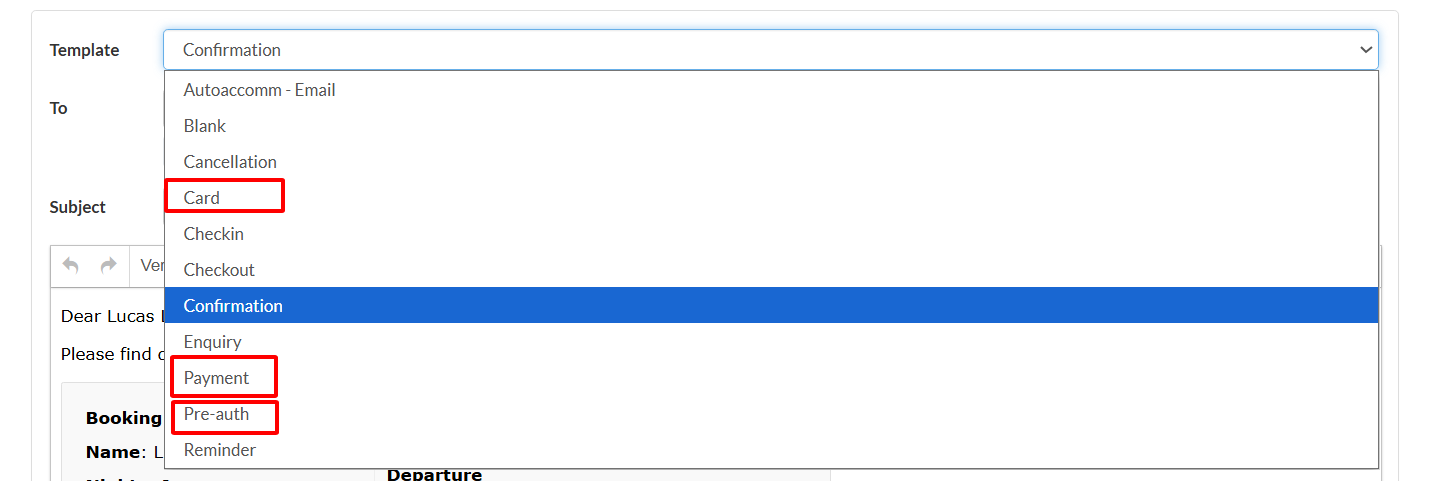
There are three types of Pay Link templates:
- Card: A secure link requesting the customer's card details only (no payment is processed).
- Payment: A secure link that processes a payment for the outstanding amount and captures the card.
- Pre-auth: A secure link that places a pre-authorisation hold on the customer's card.
Steps to Send an AbodePay Link
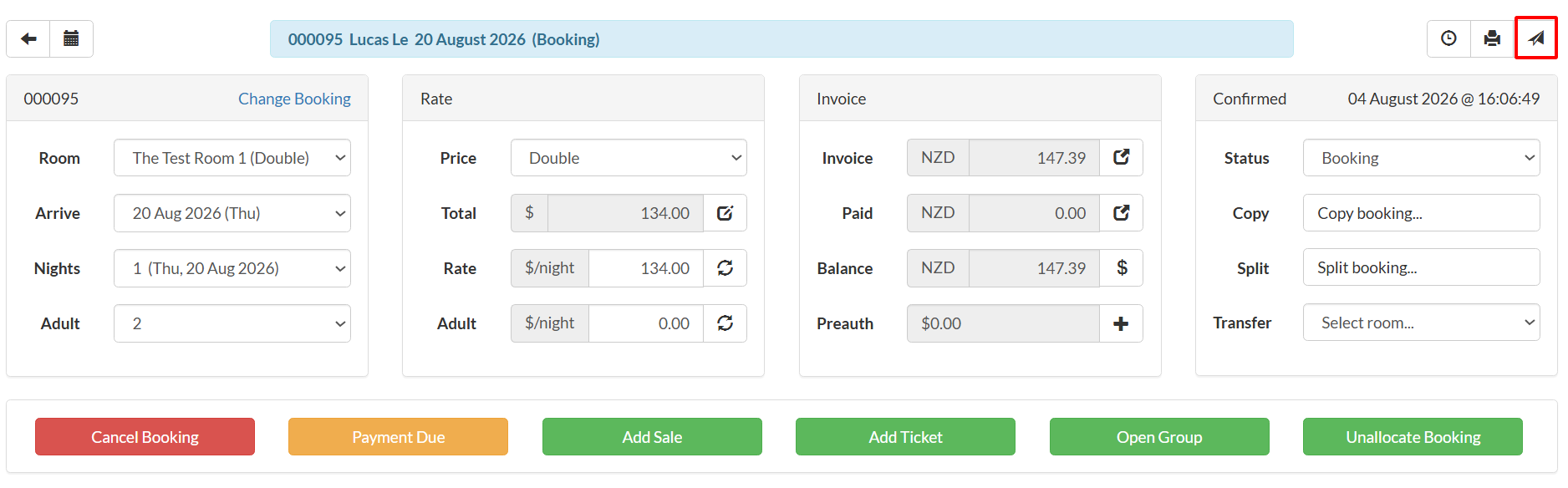
- Open the booking and click the Email button.
- Select the desired template from the Template dropdown (Card, Payment, or Pre-auth).
- The email will be pre-populated with the customer's details and booking information.
- Review and click Send Email.