
This article applies only to customers using the AbodePay payment solution. If you are using a different payment provider, some steps or settings described here may not apply to your account.
There are two types of surcharges you can configure:
- Internal Surcharges (merchant-initiated): Applied when you process a payment from the booking.
- Website Surcharges (customer-initiated): Applied when a customer makes a booking through your website.
1. Internal Surcharges
Navigate to Settings > System > Payment Surcharges to configure surcharges for staff-initiated payments. 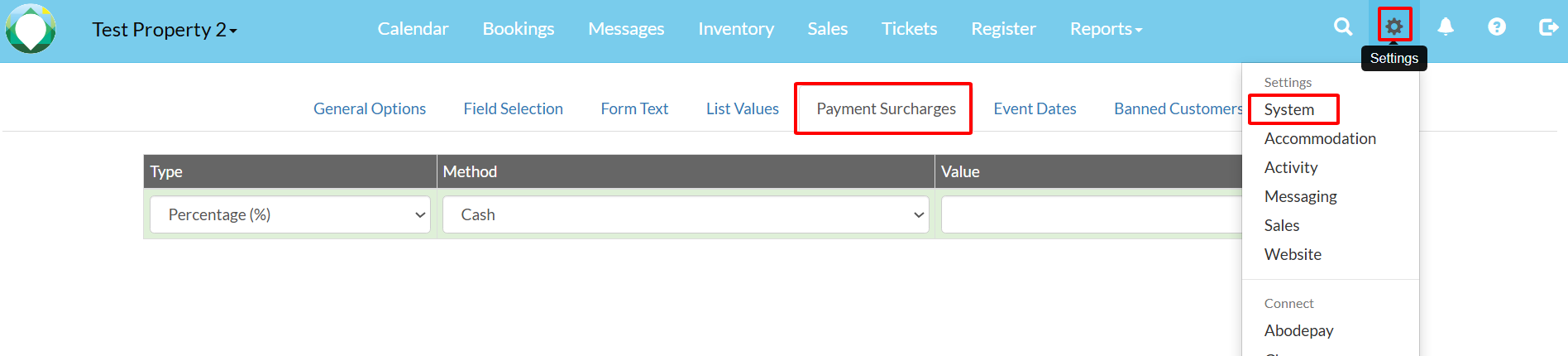
You have flexibility in how you set up surcharges:
- AbodePay Domestic: Surcharge for domestic card transactions (e.g., 2%).
- AbodePay International: Surcharge for international card transactions (e.g., 4%).
- AbodePay Paylink: Surcharge for transactions processed via a secure pay link (e.g., 2.5%).
- Alternatively, you can set a single "AbodePay" entry to cover both domestic and international with one flat rate.
Note: Each surcharge can be set as a Percentage (%) or a Fixed Fee.
2. Website Surcharges
Navigate to Settings > Website > Options tab to configure surcharges for customer-initiated online bookings.
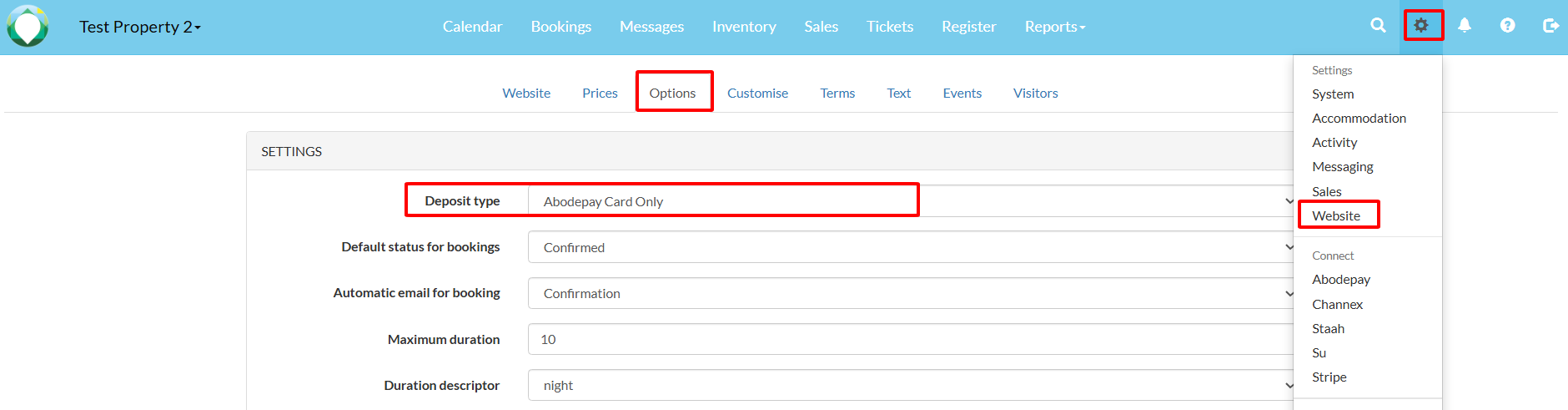
Key website settings include:
- Deposit Type: Choose from "AbodePay Payment & Card" (takes payment and captures card details — recommended) or "AbodePay Card Only" (captures card details without processing payment).
- Payment Surcharge: Set a percentage (e.g., 2.99%) to be applied to online bookings. You can customise the label displayed to customers (e.g., "Credit Card Surcharge").
Note: The label must clearly identify this as a card payment surcharge. Labels such as "Booking Service Fee" are not permitted under card scheme rules. Refer to your Host Agreement with AbodePay, or contact AbodePay support if you have questions, as surcharge rules vary between countries.
We recommend using "AbodePay Payment & Card" so you capture both the payment and the card details. This avoids situations where a customer books months in advance, and the saved card has expired or has insufficient funds at check-in.