
This article applies only to customers using the AbodePay payment solution. If you are using a different payment provider, some steps or settings described here may not apply to your account.
The Payouts tab shows a day-by-day summary of payments settled to your bank account. Payouts are typically deposited by noon the next business day, appearing as a single line item under the name "Kovena" on your bank statement.
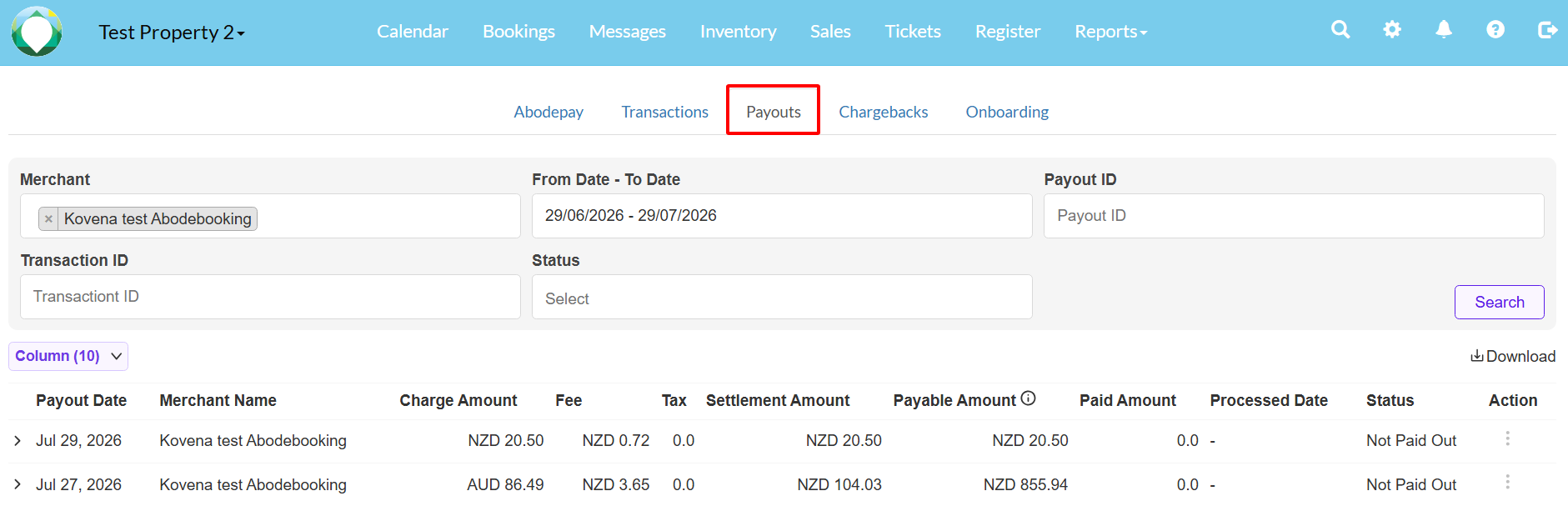
Each payout row includes the following details:
- Payout Date: The date the payout was processed.
- Charge Amount: Total transaction amount before fees.
- Fee: The merchant service fees deducted.
- Tax: Any applicable tax on fees.
- Settlement Amount: The net amount deposited into your bank account.
- Payable Amount: A running total of the amounts payable.
- Status: Either "Paid Out" or "Not Paid Out".
How to View Payout Details
Click the expand arrow next to a payout date to view the individual transactions that make up that payout. This includes reference numbers, customer names, card names, transaction types, fees, and settlement amounts. 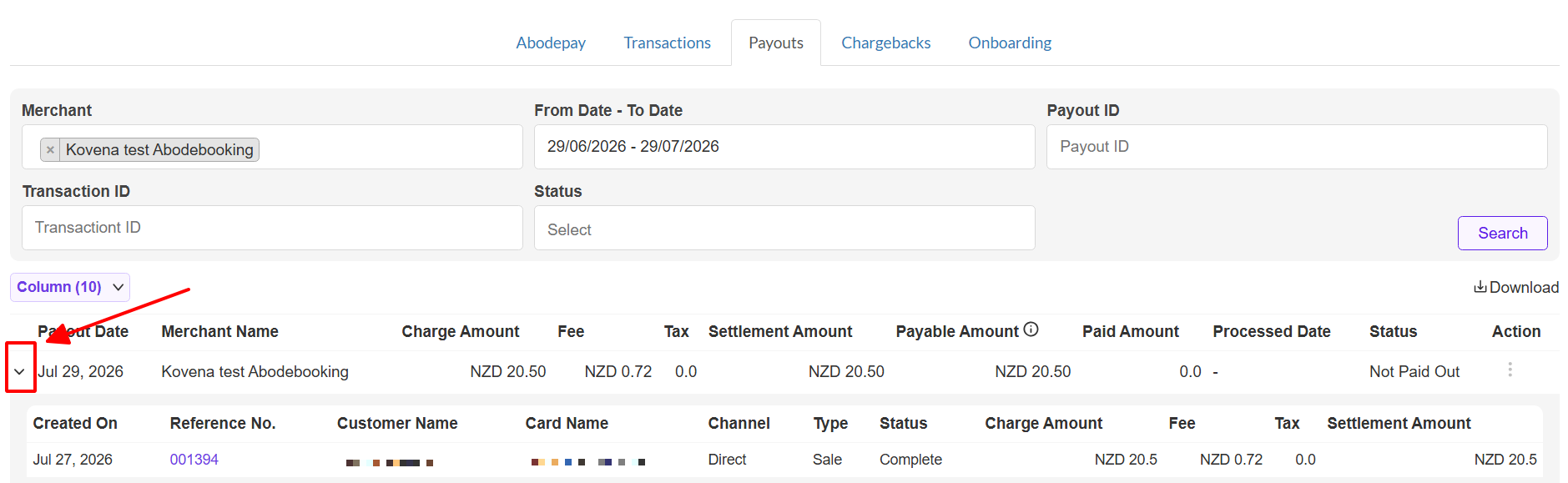
Note: The 'Created On' date in the expanded view refers to when the booking was created, not when the transaction was processed. Click the reference number to see the actual transaction date.