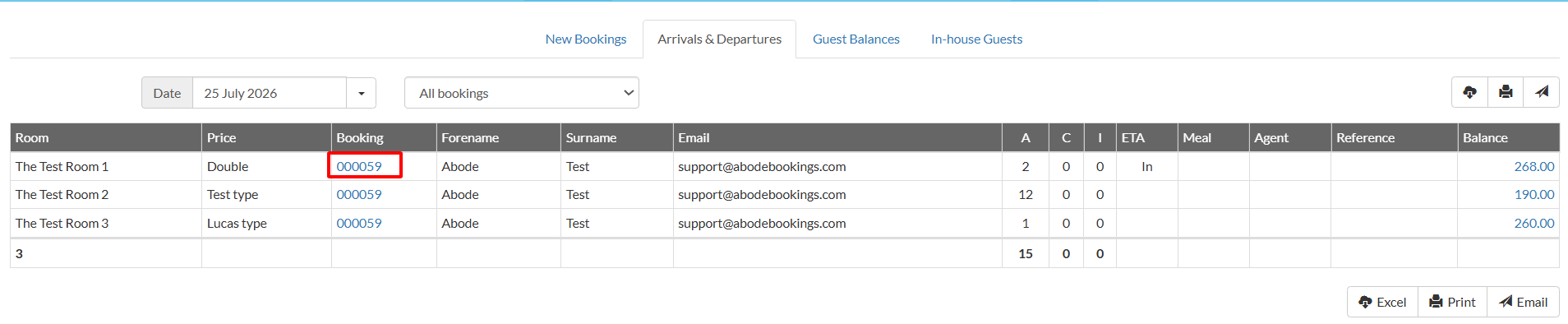
The "Arrivals & Departures" report allows you to see guest fluctuations for a particular day.
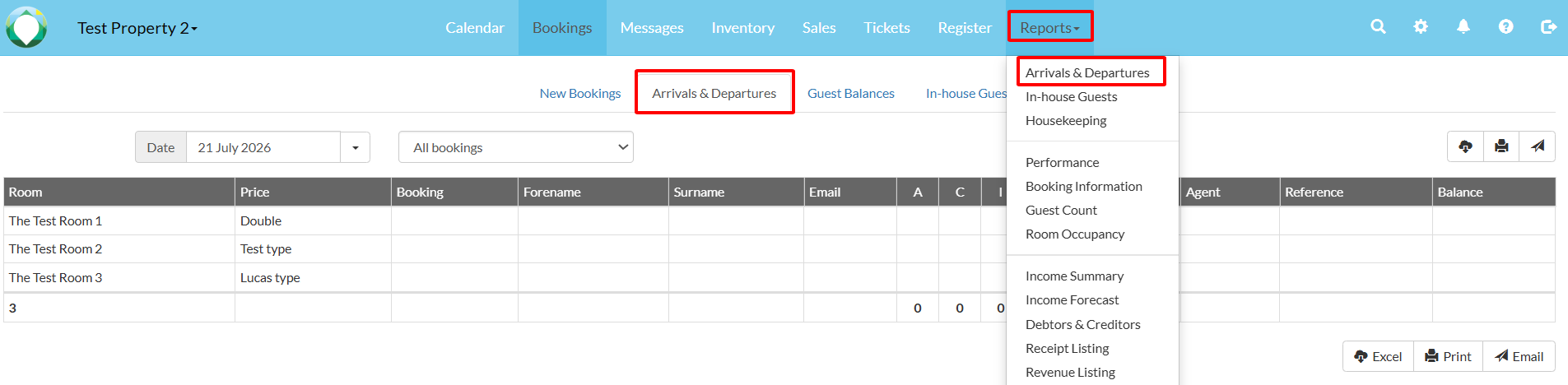
1. To view the report, navigate to Reports > Arrival & Departures. The overview tab "Arrivals & Departures" is shown by default.
(Note: You can also quickly access this report from the 'Bookings' tab on the Menu bar.)
2. Select a date to only see changes for this particular day, and a specific booking status if needed. 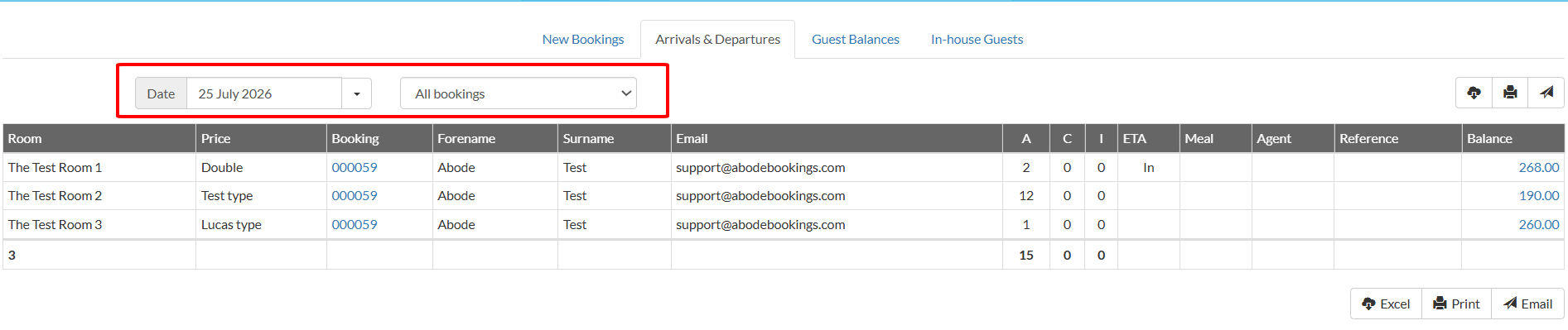
3. You'll see an overview of the day's due check-ins and already checked-in guests, along with their details. Simply click on a booking number to go directly to that booking.