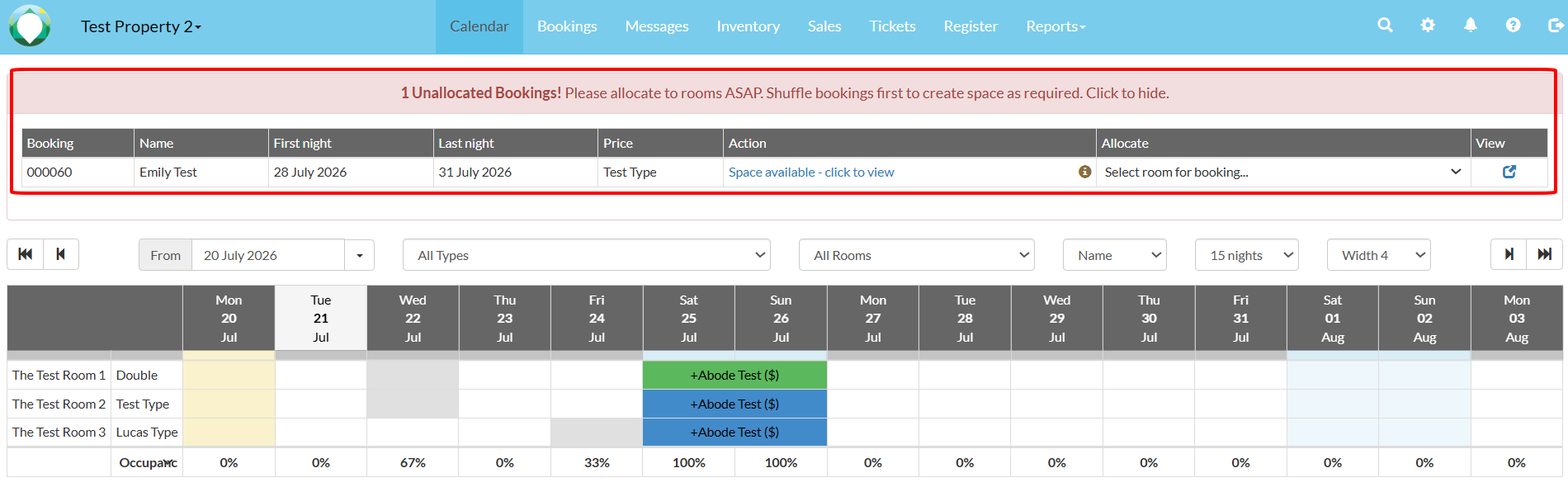
Unallocating bookings makes it easier to move bookings around the calendar. It is useful to maximise occupancy, as you would be able to fill unnecessary empty spots in the calendar.
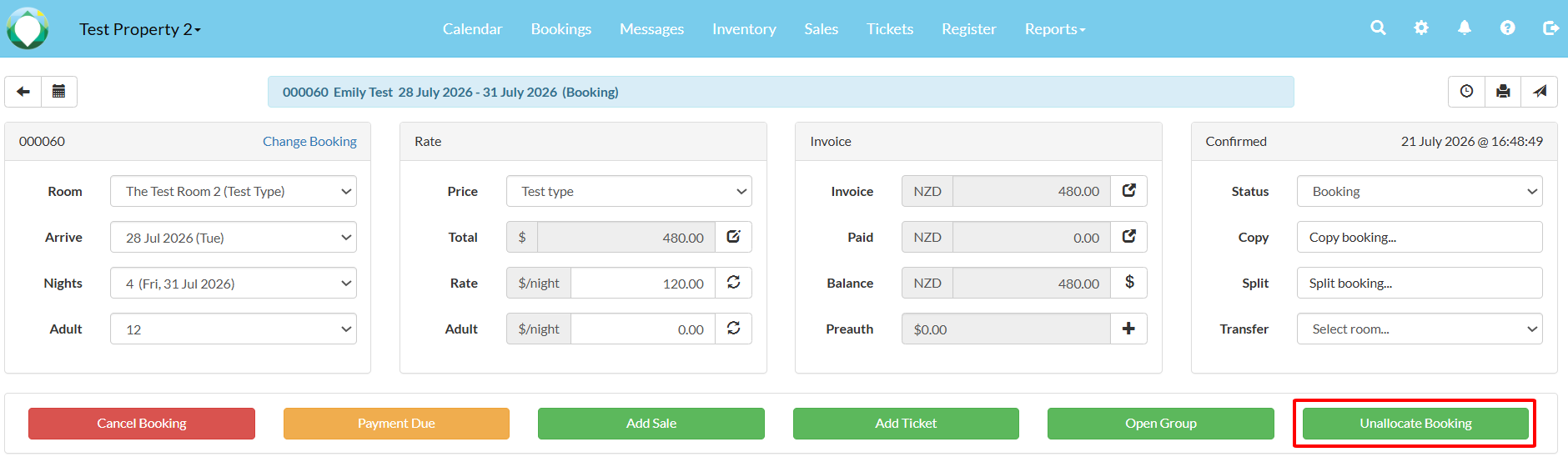
To unallocate a booking, simply click on the "Unallocate Booking" button in the booking page of a booking.
Once confirmed, click "OK" and the unallocated booking will appear at the top of the calendar.