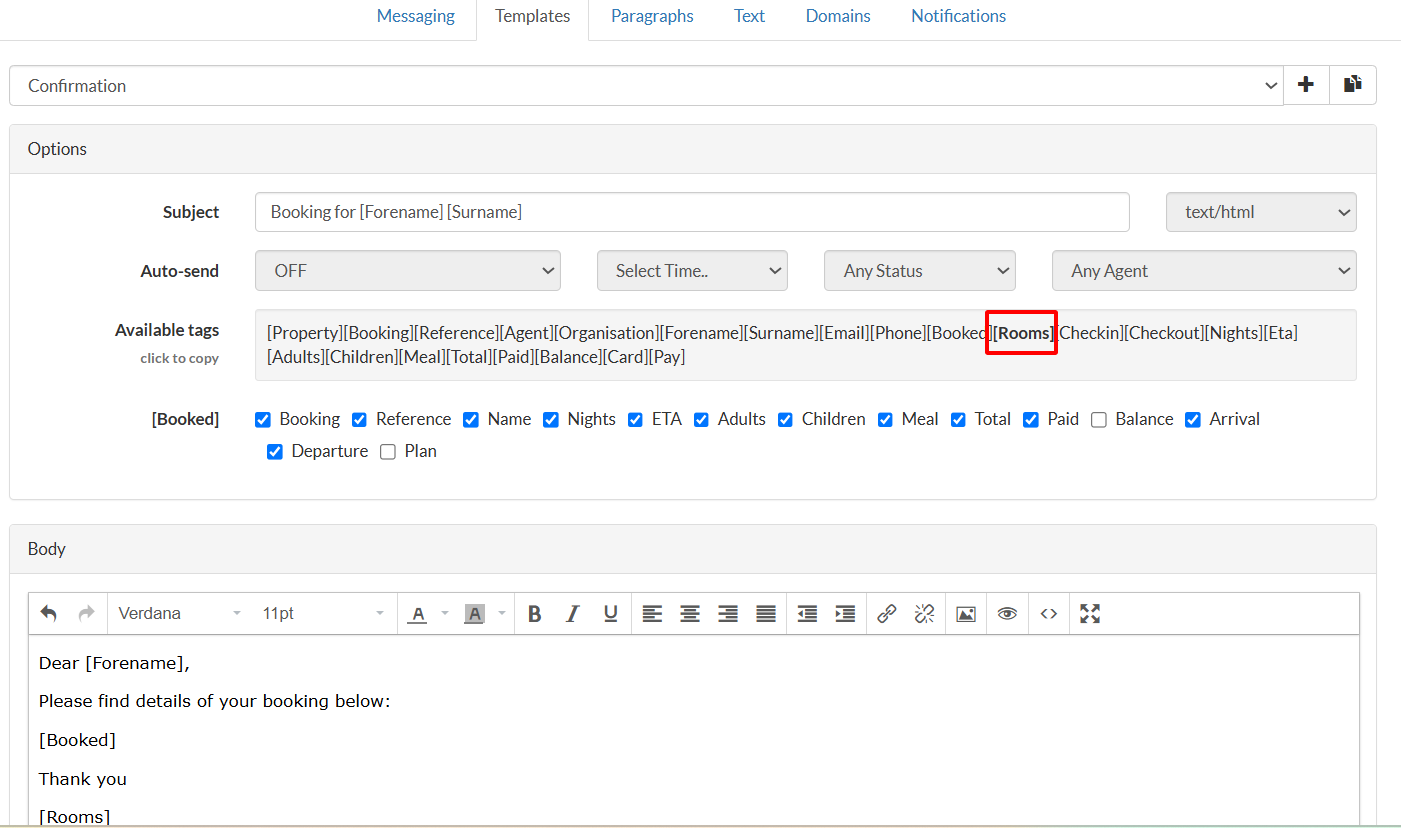
With the email tag [Rooms], you can let your guests know their room number and access code in a confirmation, arrival, or reminder email. The tag will simply list the room number and door code (where applicable).
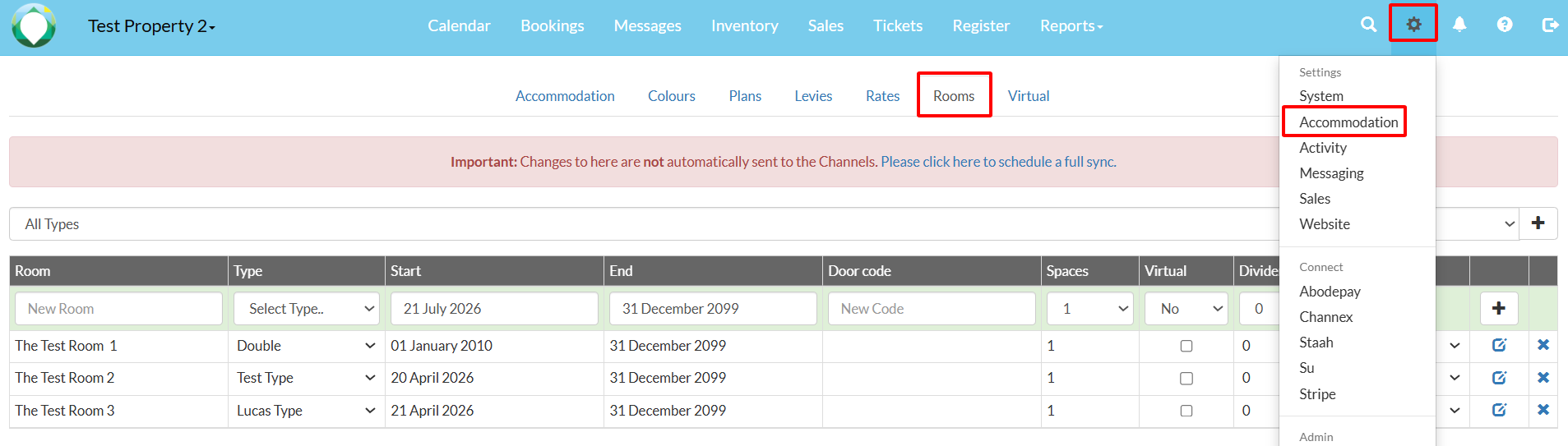
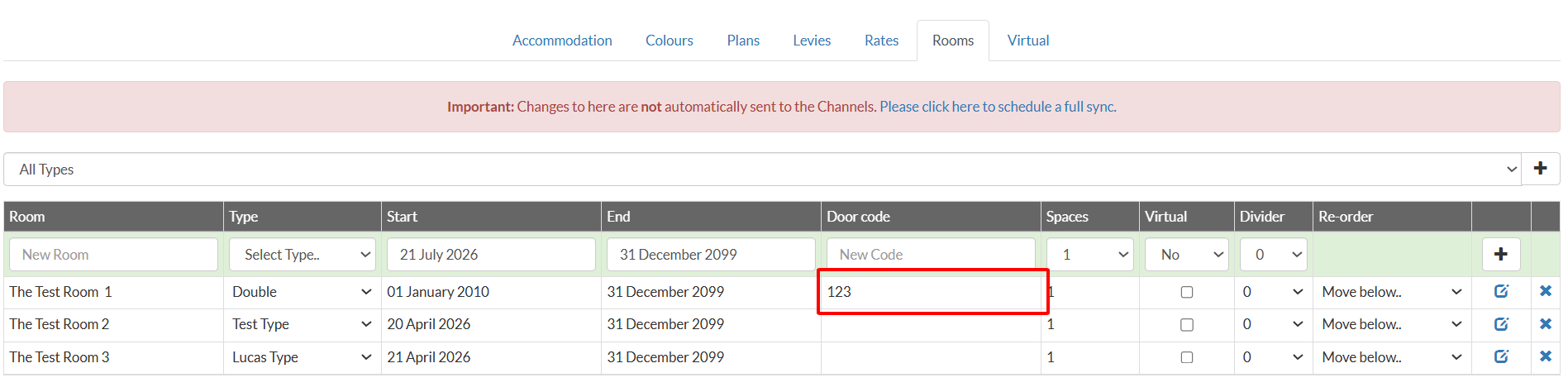
1. Door codes can be set in Settings > Accommodation > Room.
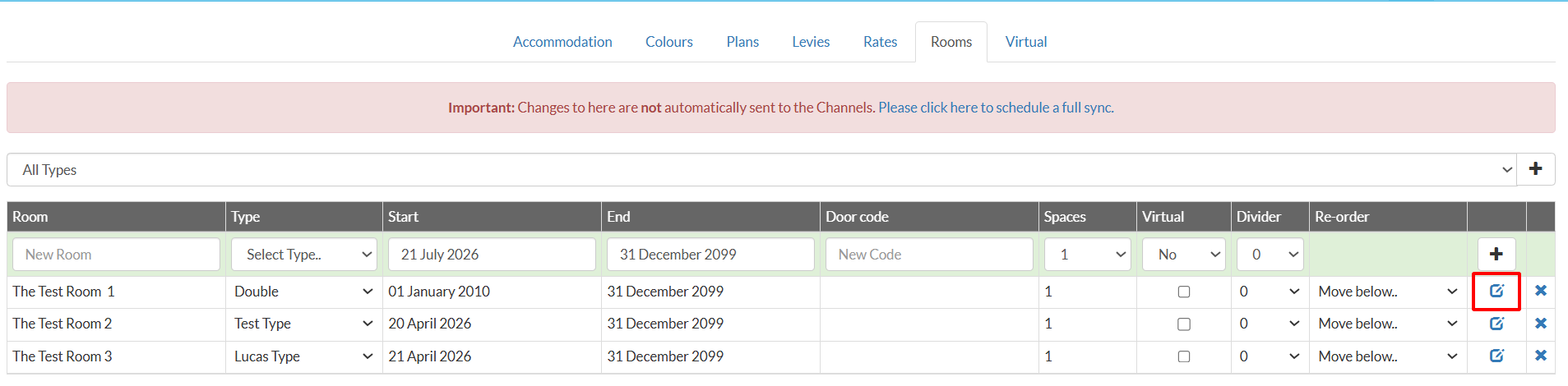
2. Click on the "Edit" icon on an existing room, or enter a Door Code in the text field in the top row if adding a new room
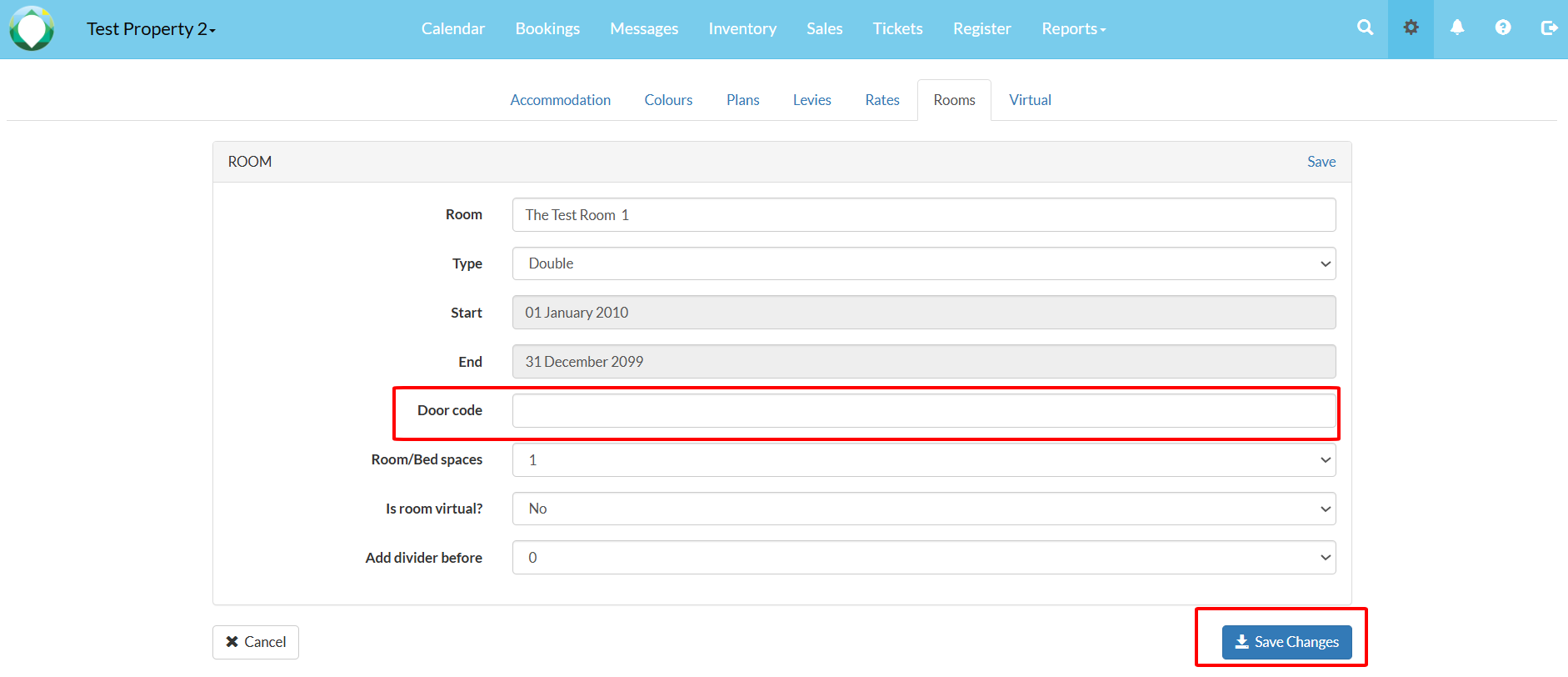
3. Enter any number in the Door Code field, then select Save Changes.
4. To apply the [Rooms] tag, navigate to Settings > Messaging > Templates, choose your email template (e.g., 'Confirmation'), and add '[Rooms]' to the email where suitable.