
In this FAQ we will be learning how to send automated follow-up/ checkout emails to guests.
Note: The guest has to be checked out for it to work. (this is so we don't tell the guest to leave)
This can be a great tool to thank guests for their stay, encourage them to leave a review, send promo codes for return guests, or add a link to a blog.
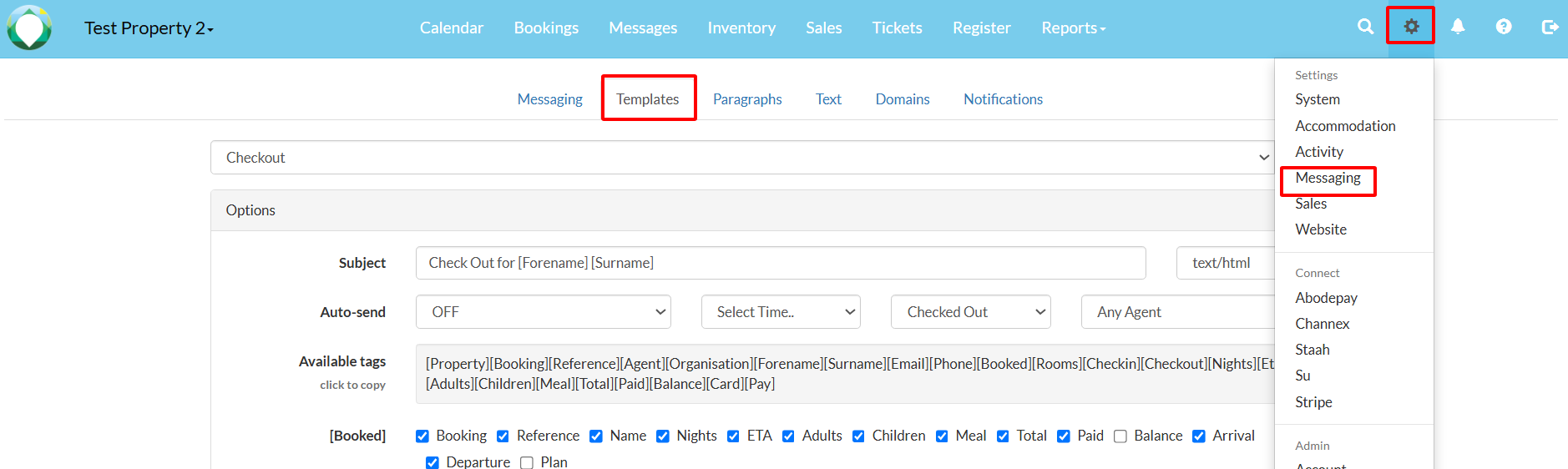
1. Navigate to Settings > Messaging > Templates
2. Select 'Checkout' from the list of options in the drop-down menu.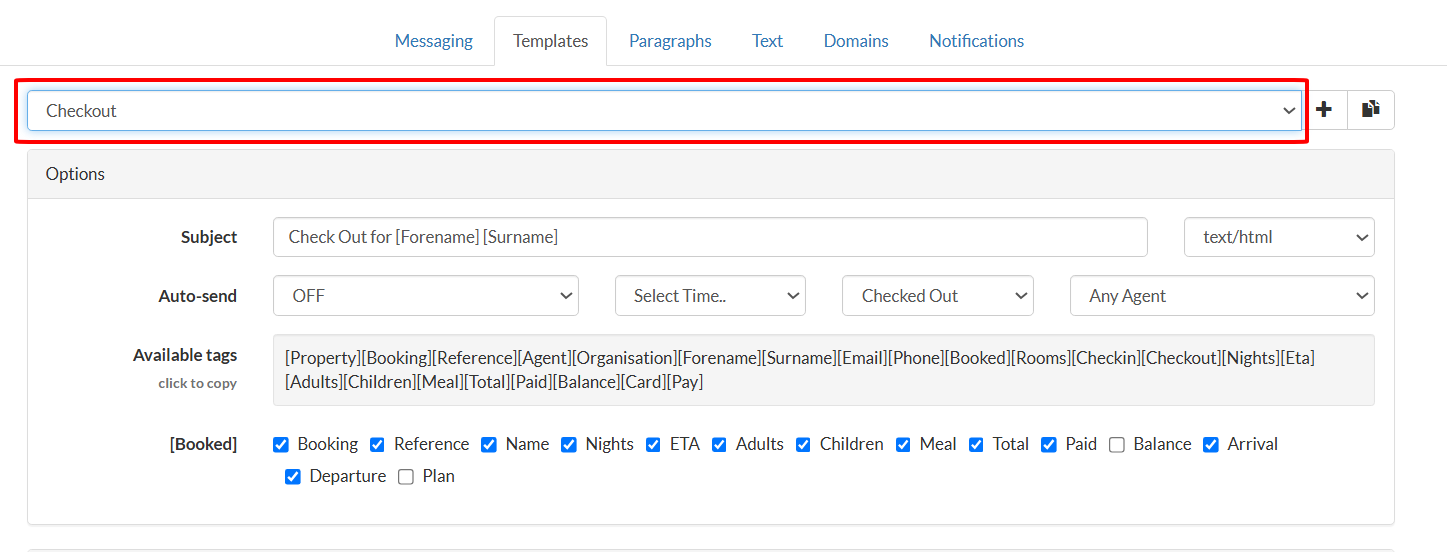
3. Select 'Day of Departure' from the Auto send dropdown.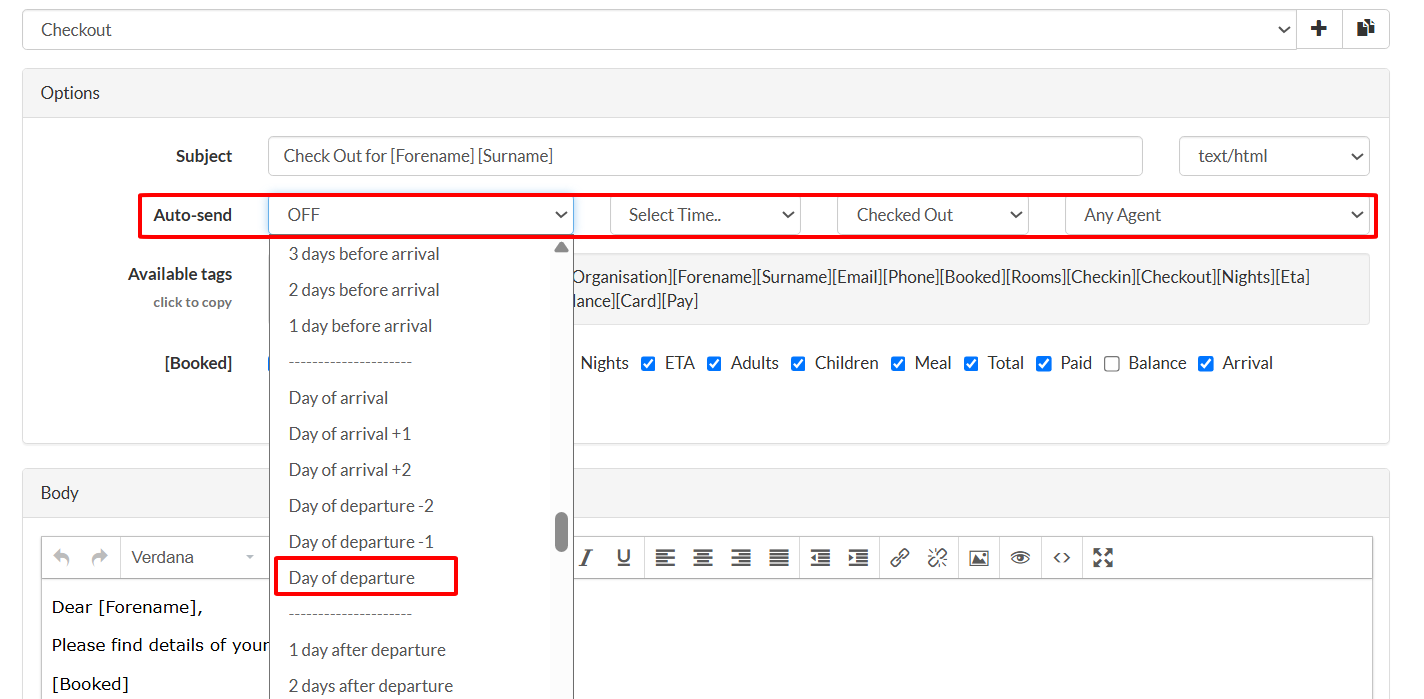
4. Enter the information you would like to send to your guest in the text box.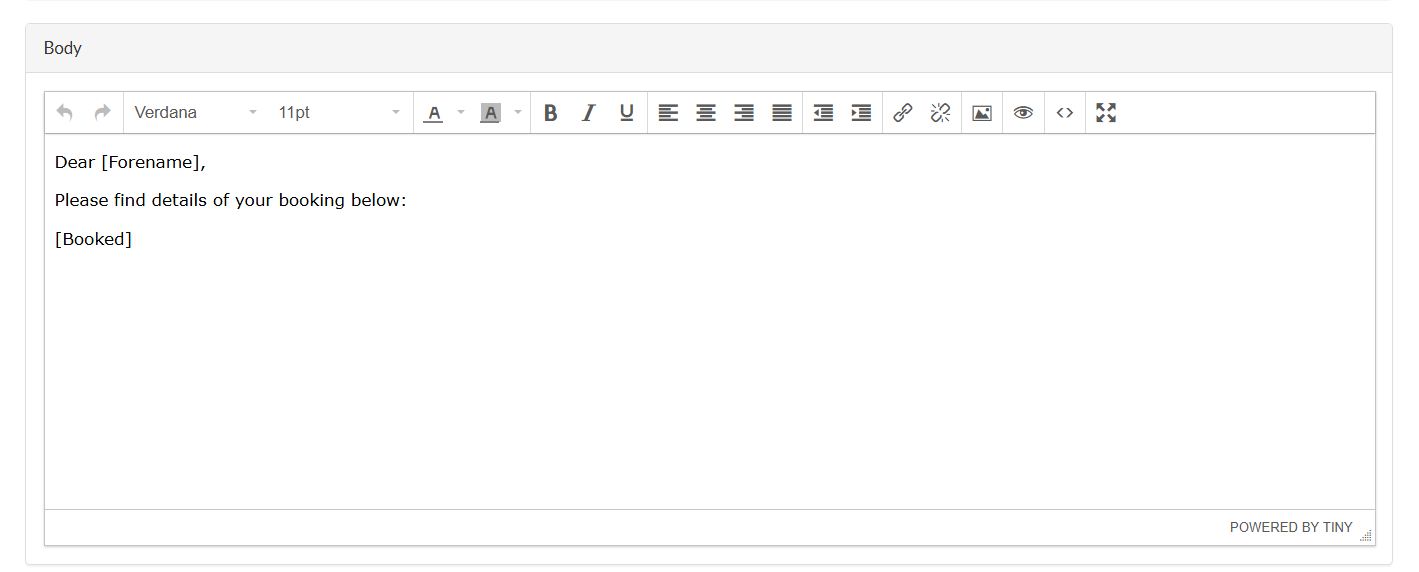
Congratulations! Abode will now send an automatic follow-up email on your behalf.