
Sending emails to guests can be a great way to pass on more information. Some ways this can be used include informing guests of a road closure, offering a discount for returning guests, or notifying them of changes to the check-in process.
This feature is very helpful for a wide range of scenarios where properties need to send announcements to multiple bookings at once.
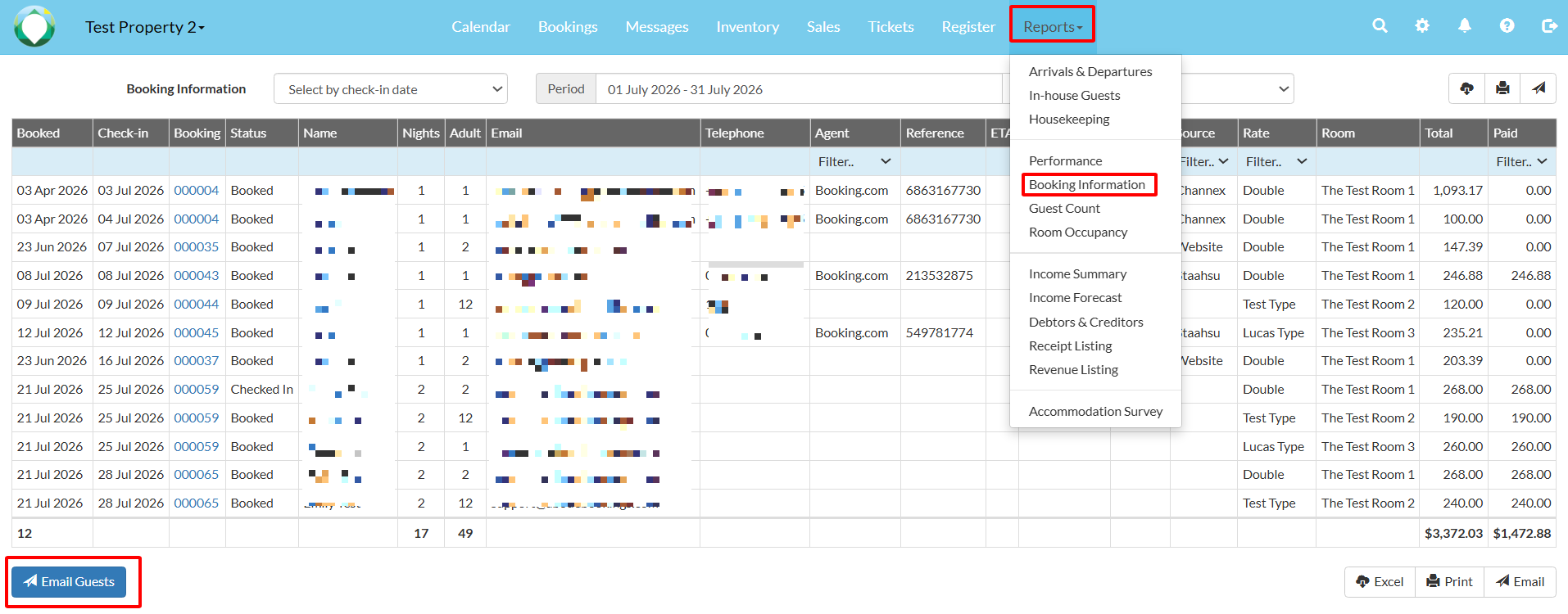
1. Navigate to Reports > Booking Information, select the dates and filters as necessary, then click the "Email Guests" button.
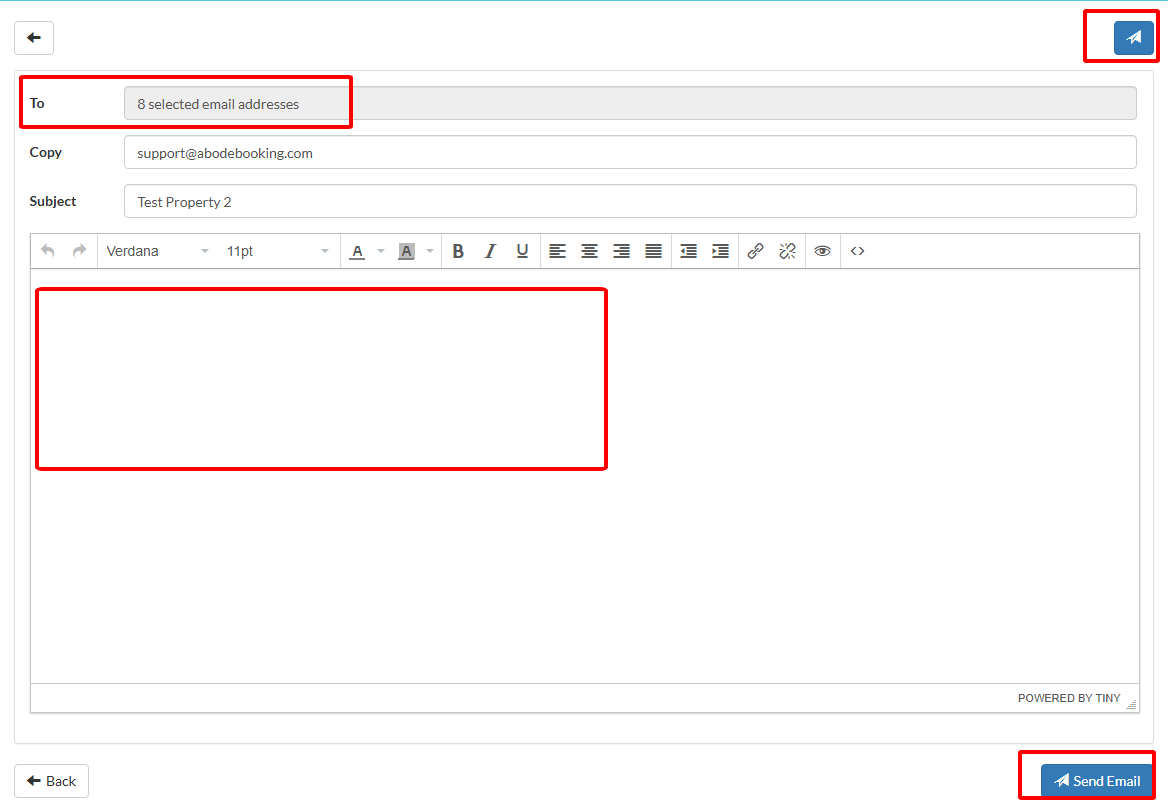
2. On the next screen, write the email you would like to send, then click "Send Email" to send it to the previously selected bookings. Sent emails will be listed on the "Messages" page in Abode, where you can find detailed information such as delivery rate, bounce rate, etc.
Important: We do not recommend using this as a marketing tool, as the guest may not have opted in.