
The "Booking information" report lets you show detailed guest information given by filters and a date range.
To see the "Booking information" report, navigate to Reports > Booking information.
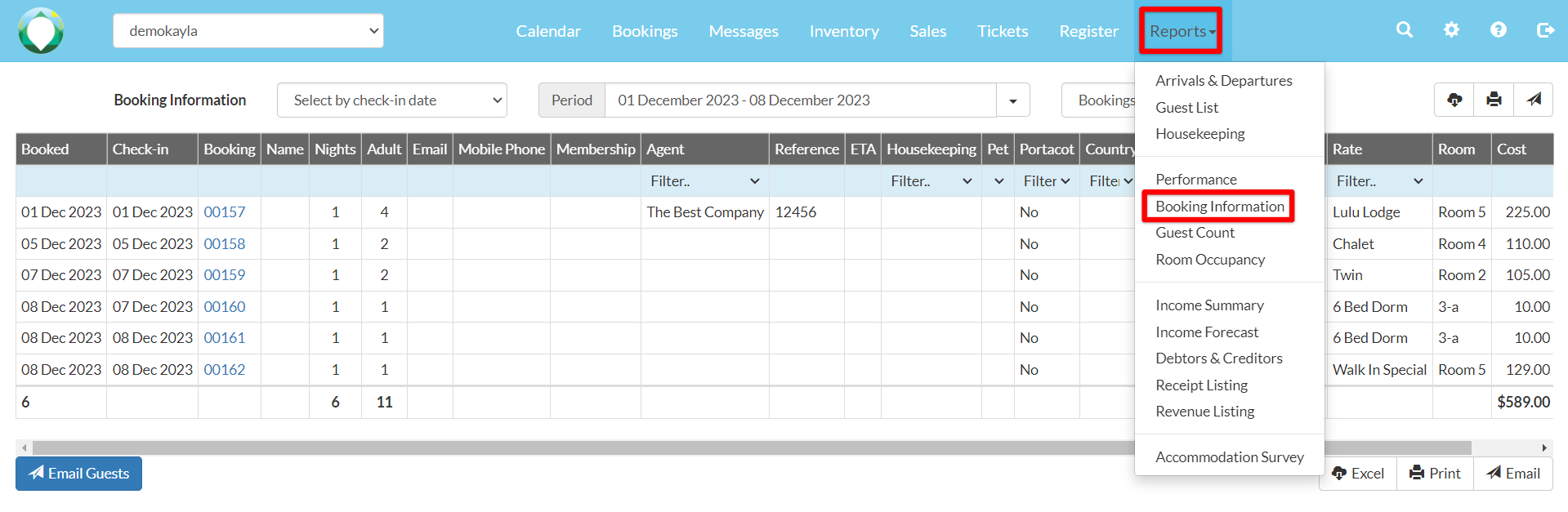
It also sums up the total nights, adults, children, costs and payments of all bookings.
You can filter by booking date, cancelled date, check in, check out and all in house. You can also choose to filter by blocks, bookings and cancelation.

Note: If you filter by cancelled date, you are required to also filter by booking status
To export the booking information in an Excel file, print the list or send it as an email, use one of the corresponding buttons below the table.
