
How do I log into my system?
You can access your system from any internet browser, but we advise you use Google Chrome.
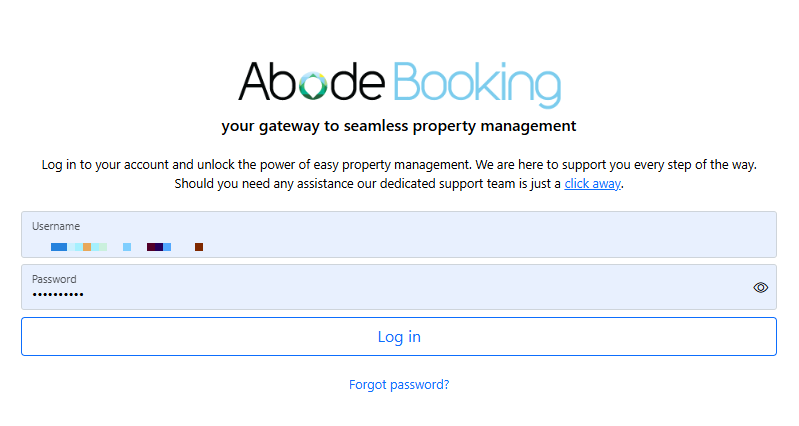
- Login using this link - https://smartbooking.co.nz/login.php
(You may want to save the link to your desktop or bookmarks to make it easier.) - Your username will be your email address.
- Your password will have been sent to your email address from 'AbodeBooking'. It will be a series of random letters.
- Select 'Login' once you have entered your username and password.
What if I have forgotten my password?
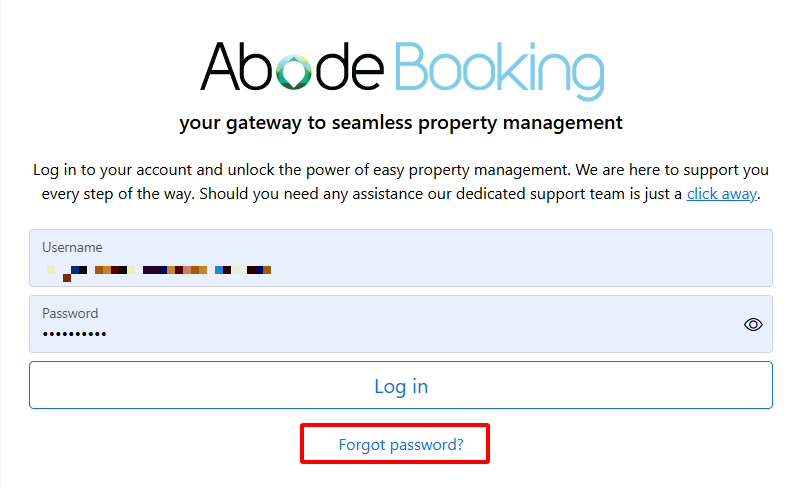
- Go to the login page - https://abodebooking.com/login/
- Select 'Forgot password?'
- Enter your username/email address.
- Select 'Send Link'.
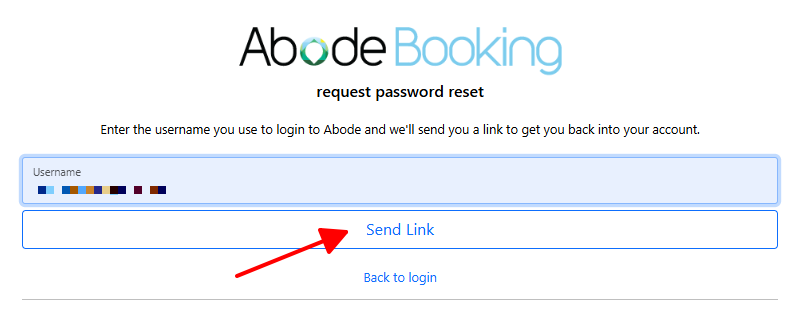
- A new automatically generated password (a series of random letters) will be sent to your email address.
- Use the new password to login to your system.
How do I change my password to something else?
- Login to your system.
- Navigate to Setting > Users > Password.
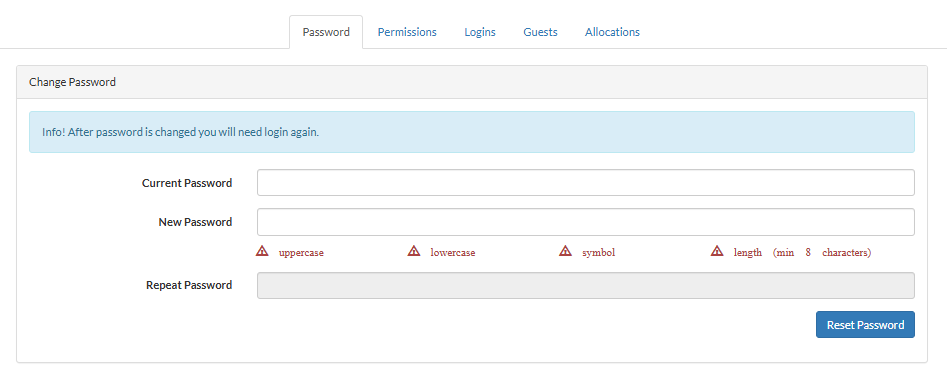
- Type your current password.
- Type your new password.
- Repeat your new password again.
- Select 'Reset Password'.
- You will be logged out of the system. Login again with your new password.